Texpand raised its price? Move your snippets to Nibit.
Import your Texpand snippets into Nibit in a couple of minutes. Unlimited snippets are free, with no weekly subscription or ads.
Texpand moved to $14.99 a week and started revoking unlocks people already paid for. Nibit is an Android text expander that does the same job. Type a short trigger, get the full text, in any app. You can import your Texpand library directly, so you do not start over.
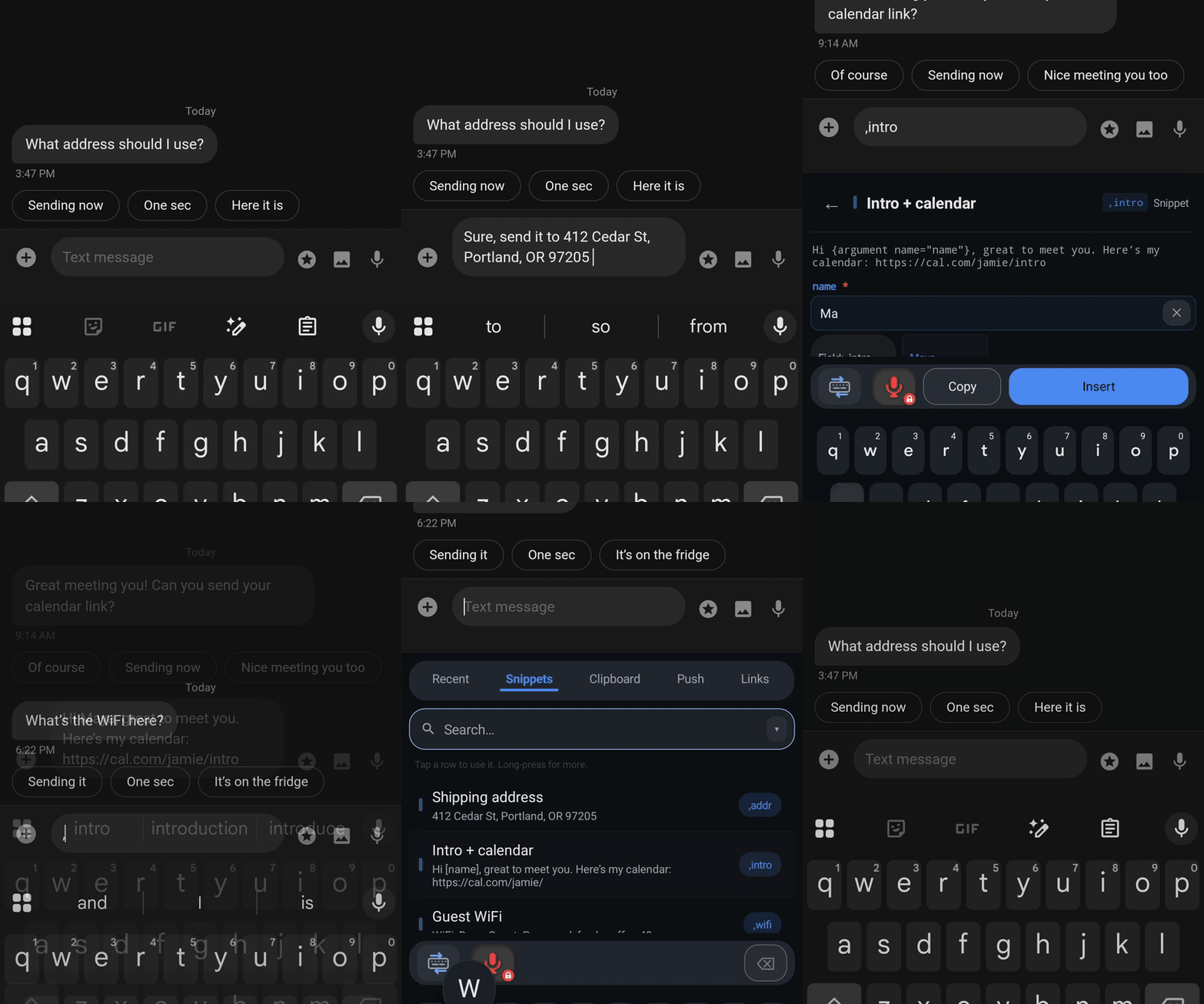
Why people are switching
- No weekly fee. Unlimited snippets are free.
- No ads. The free tier has no ads and nothing that hijacks your screen.
- Your snippets stay yours. Export your whole library anytime. On-device features run locally, with no server required.
Move your library in three steps
You do not have to rebuild your snippets by hand. Nibit reads Texpand backup files and converts your variables for you.
1. Export from Texpand. Open Texpand, tap the menu (the three dots), then go to Settings → Import & Export and tap Export phrases. Pick a spot on your phone you can find again and tap Save. Texpand saves a file named something like Texpand Backup - 2026-04-17.zip. This is a manual backup, separate from Google Drive sync.
2. Install Nibit. Get it from Google Play and finish setup. Your normal keyboard stays as the default. Nibit runs alongside it.
3. Import the backup into Nibit. Open Nibit, go to Settings, and find the Backup & data section. Tap Import, choose From file, and select the Texpand .zip you just saved. Your triggers work the same way afterward.
Common variables like date, time, clipboard, cursor, and fill-ins carry over automatically. Tasker variables, image and GIF attachments, and phrase lists do not transfer cleanly. The import guide has the full mapping.
More than expansion
Snippets work the way they did in Texpand. Nibit adds a few things on top:
- A second keyboard. Switch to Nibit on demand to search and browse your snippet library when you cannot remember a trigger, then switch back to your usual keyboard.
- AI transforms. Select text in any app to fix grammar, change tone, translate, or summarize.
- Smart dictation. Voice input that strips filler words and self-corrections.
- Push. Send text, links, images, and files between your devices, end-to-end encrypted.
- Clipboard history. A searchable history of what you copy, with links, emails, and phone numbers surfaced as chips.
- Quick links. One-tap launchers for URLs and searches that take a value, like a Jira ticket by ID.
- Web companion. Manage everything from a browser at app.nibit.app, with sync on Cloud Pro.
Texpand vs Nibit
| Texpand | Nibit | |
|---|---|---|
| Price | $14.99/week (~$780/yr) | Free for unlimited on-device features; optional Cloud Pro for hosted services |
| Ads | Yes, on free | No |
| Import your snippets | — | From Texpand, Typing Hero, Raycast |
| Clipboard history | No | Yes |
| AI transforms & dictation | No | Yes |
Nibit's unlimited snippets are free. Want the full feature-by-feature breakdown? Read the detailed comparison.